
Solar Connect

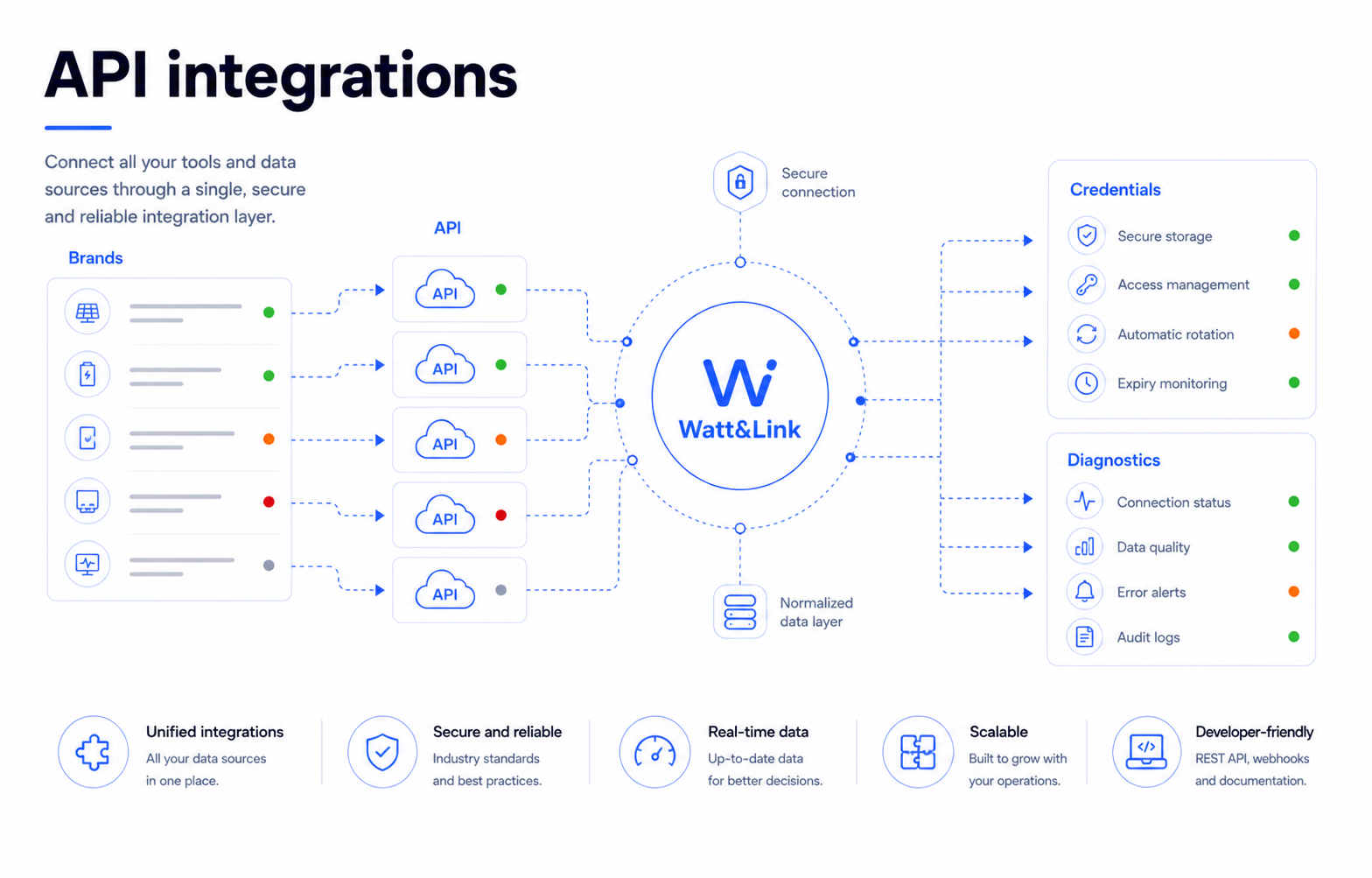
Connect your brands and check that data is arriving

Review connections, permissions and recent manufacturer requests to understand why a plant has stopped updating.

Conceptual Watt&Link visual for Connect your brands and check that data is arriving.
Workflow illustration

Available brands and services

  • Huawei integration logo Huawei
  • SMA integration logo SMA
  • Fronius integration logo Fronius
  • SolarEdge integration logo SolarEdge
  • Victron integration logo Victron
  • Ingeteam integration logo Ingeteam
  • SunGrow integration logo SunGrow
  • Salicru integration logo Salicru
  • SAJ integration logo SAJ
  • Smart1 integration logo Smart1
  • Enphase integration logo Enphase
  • Datadis integration logo Datadis

Available data, update frequency and access requirements depend on the manufacturer, account and granted permissions. In the demo, we review your brands and how to connect them.

Multi-brand

Your brands in one view

Watt&Link can centralize data from Huawei, SMA, Fronius, SolarEdge, Victron, Ingeteam, SunGrow, Salicru, SAJ, Smart1, Enphase, and Datadis, depending on each account’s configuration and permissions.

  • Enabled solar brands
  • External services
  • Fewer separate portals

Observability

Credentials, requests, and provider behavior

Solar Connect/API Manager helps review keys, request logs, usage, provider status, and specific behaviors such as consents or quotas.

  • Permissions and access keys
  • Logs and usage
  • Provider diagnostics

Request demo

Want to see how it fits your plants?

We review your brands, portfolio size and team tasks. The demo uses fictitious data; you do not need to share credentials.